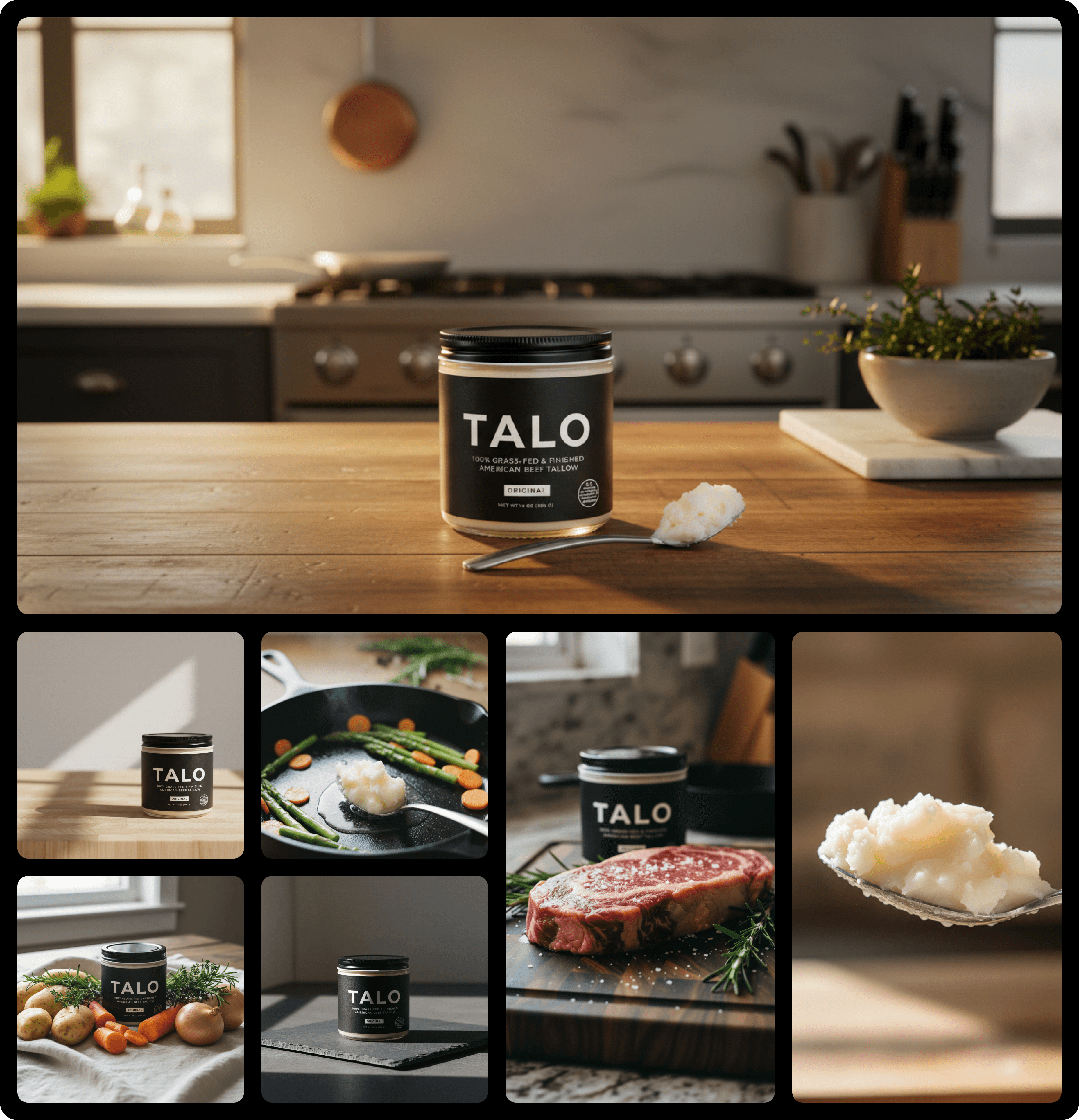
Product Photography Prompts
Published on March 10, 2026
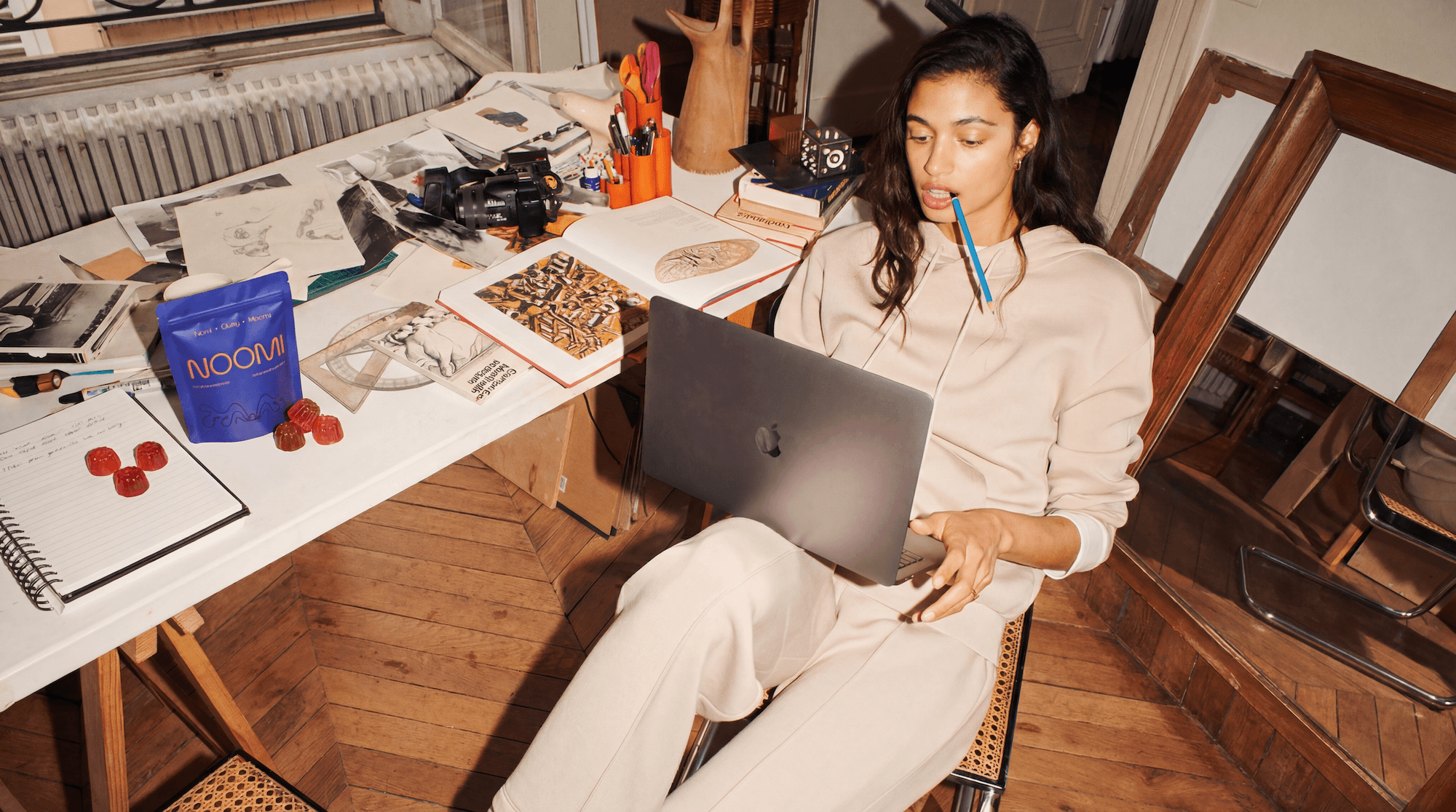
Your product photos are costing you sales.
You could have the best product in your niche. Genuinely better than anything else out there. Better formula, better materials, better results. Doesn't matter.
If your photos look cheap, your product feels cheap.
That's the uncomfortable truth nobody talks about when they tell you to "just focus on the product." Because in e-commerce, the photo is the product. It's the thing your customer touches before they buy. It's what builds trust at 11pm when someone's scrolling with one eye half-closed, deciding whether to hit checkout or keep scrolling.
And most brands are losing that moment.
Not because their product isn't good enough, but because their visuals aren't doing the work they need to do.
Traditional photoshoots are supposed to solve this. Book a studio, hire a photographer, spend three days and a few thousand euros, and walk away with a set of images that maybe lasts you a season. If you're lucky, they come out exactly how you imagined. If you're not (and often you're not) you go back and forth on reshoots, feedback rounds, and revision fees until you've burned more budget than you planned and half the team is frustrated.
So brands started looking at AI. Makes sense. Faster, cheaper, no studio required. (Not sure which tool to pick? See our comparison of the best AI product photography tools.)
But then came the disappointment. The weird shadows. The textures that look almost right but not quite. The product that looks like it was Photoshopped in by someone in a hurry. Customers notice. They might not say "this looks AI-generated" but something feels off, and that feeling kills conversions just as fast as a bad review.
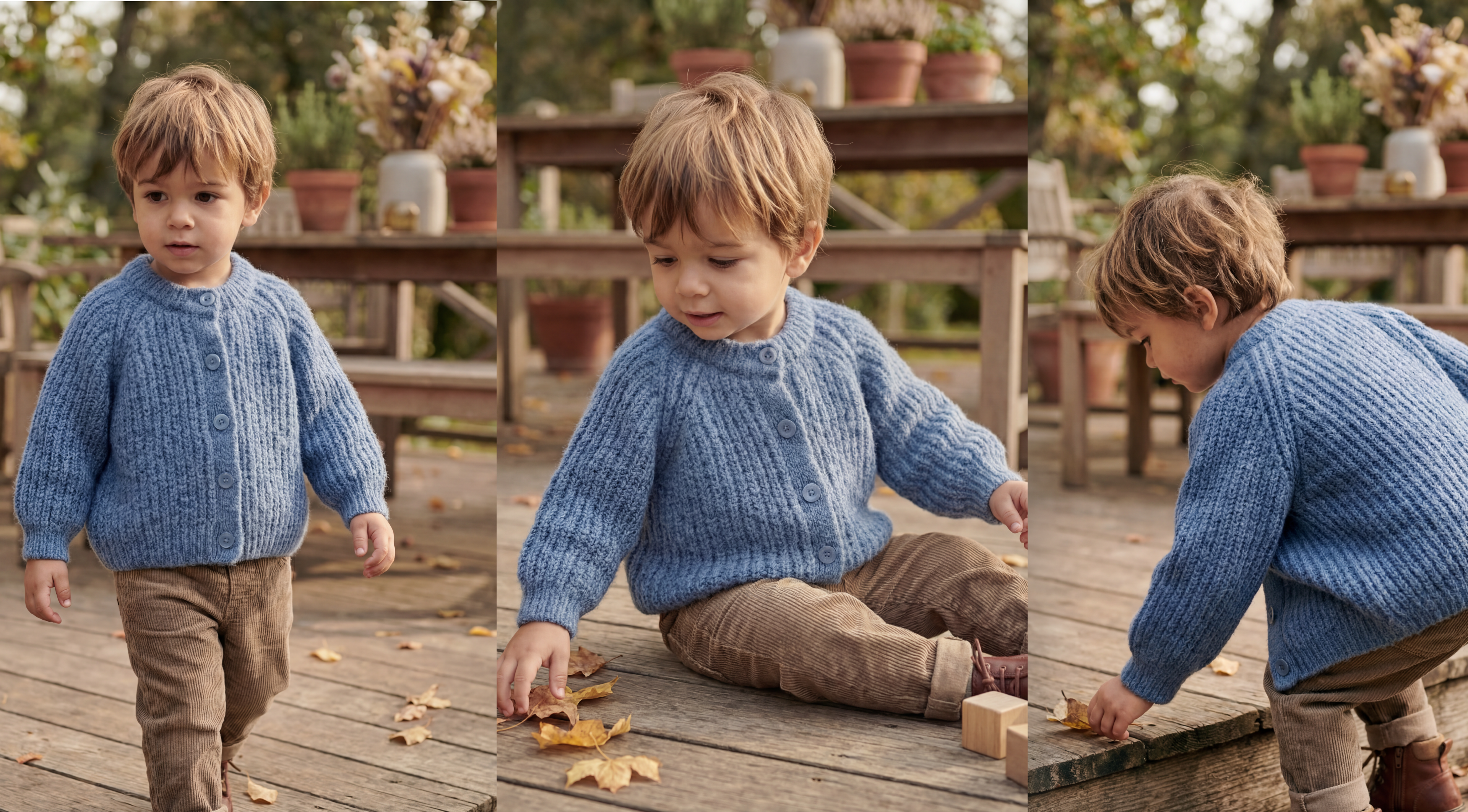
Here's what most people don't realize though: the problem was never the AI. It was the prompts.
What you type, how you describe the shot, the light, the mood, the setting, is what determines whether your image looks like it belongs in a high-end brand campaign or a rejected stock photo. The technology is capable of producing ultra-realistic, trust-building product photography. But it needs to be guided correctly.
That's what this guide is about. Not vague theory. Actual prompts, real frameworks, and practical techniques that will change how your product visuals look, and what they do for your conversion rate.
What Are Product Photography Prompts (And Why They Matter)
Let's get one thing straight before we go any further.
AI product photography isn't magic. It's not a "click a button and get a campaign-ready image" situation. At least not if you want results that actually look real. What it is, when used correctly, is one of the most powerful tools an e-commerce brand has access to right now. The difference between brands who get that and brands who don't comes down to one thing: how they communicate with the AI.
That communication happens through prompts.
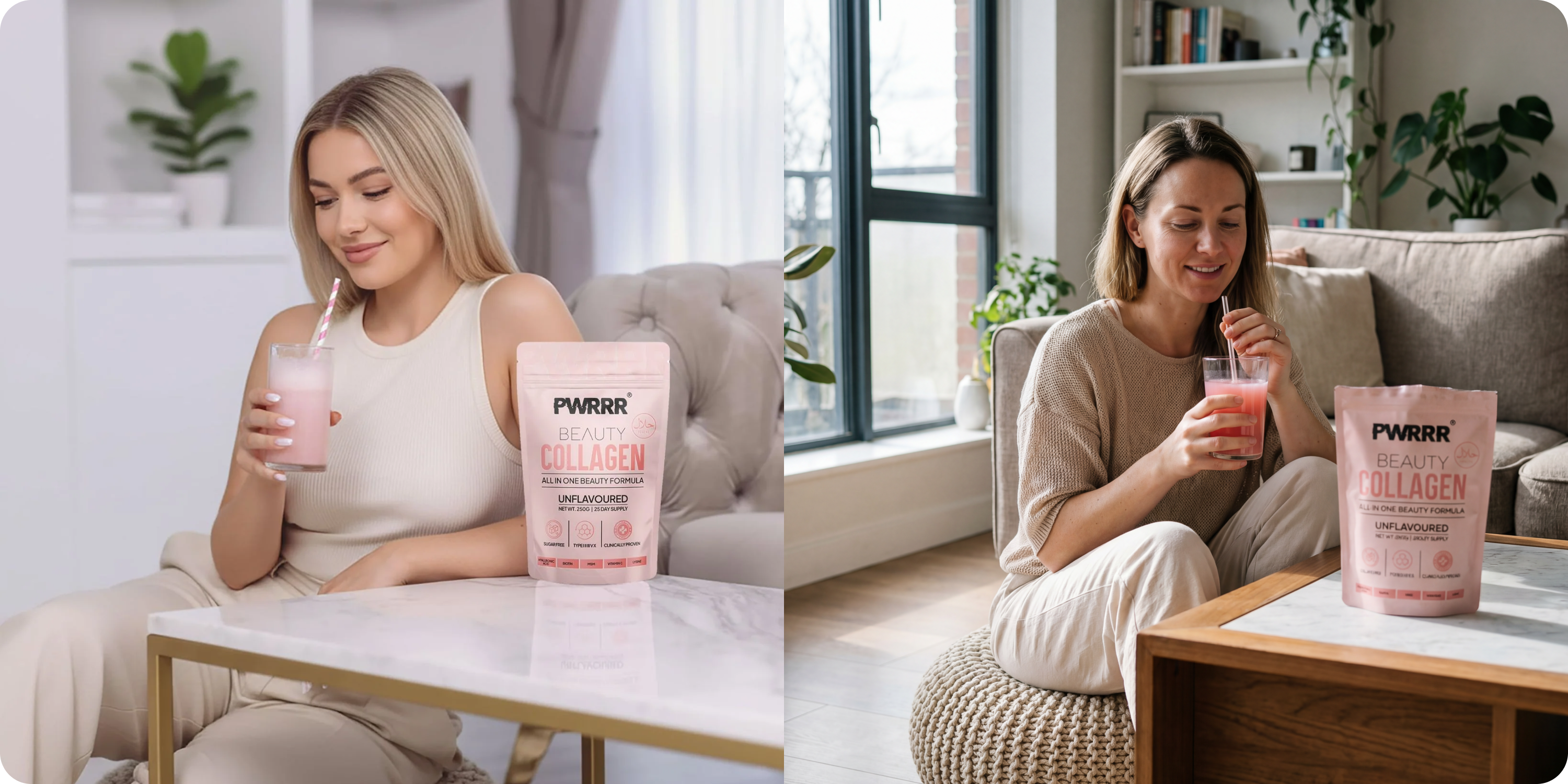
A prompt is the text description you give an AI image tool to tell it what to create. Think of it less like a search bar and more like a brief you'd hand a photographer before a shoot. The more specific and intentional that brief is, the better the result. The more vague it is, like "a nice photo of my serum on a white background", the more generic and flat the output.
Here's a way to think about it. Imagine hiring two photographers and giving them the same candle with two different briefs:
✕Vague brief
“Take a good photo of this candle.”
Generic. Flat. Forgettable.
✓Detailed brief
“I want a close-up shot of this hand-poured soy candle on a linen surface, soft morning light coming from the left, a slight warm tone, shallow depth of field, the kind of image you'd see in a high-end lifestyle magazine.”
Cinematic. Specific. Converts.
Same candle. Completely different photo. That's the power of a prompt.
And yet most brands using AI tools are writing briefs like the first photographer. Then they look at the output, decide AI photography "just doesn't work," and go back to spending thousands on studio shoots, or worse, shipping with mediocre photos that quietly tank their conversion rate.
The skepticism is understandable. A lot of AI tools have produced garbage. Distorted products, fake-looking lighting, textures that don't hold up. But that's almost always a prompting problem, not a technology problem. The AI isn't broken. It just wasn't told what to do clearly enough.
What makes a prompt work in a product photography context specifically? It comes down to a few key elements: subject, setting, lighting, mood, angle, and realism cues. We'll break each of those down in detail in the next section. But the principle is simple: the more cinematic and specific your language, the more photorealistic your result.
This matters enormously for e-commerce brands because trust is everything. Customers can't pick up your product. They can't smell your candle, feel the weight of your supplement bottle, or try on your jacket. The image has to do all of that work. A photo that looks slightly off, even if the customer can't articulate why, introduces doubt. And doubt kills sales.
The good news is that writing great prompts is a skill. And like any skill, it's learnable. You don't need a background in photography or design. You just need to understand the framework, and then practice applying it to your specific products.
The Anatomy of a Great Product Photography Prompt
If you've ever stared at a blank prompt box and typed something like "product on clean background, professional", this section is for you.
That kind of prompt isn't wrong exactly. It's just empty. It gives the AI nothing to work with beyond the most generic interpretation of "professional product photo." And generic is the enemy of conversion.
Great prompts have structure. Once you understand that structure, writing them becomes fast and almost formulaic, in a good way. Here are the six core components every strong product photography prompt should include.
01
Subject Description
What the product actually is: material, colour, shape, packaging details.
02
Setting & Background
Surface, environment, props. The world the product lives in.
03
Lighting Style
Source, direction, intensity, temperature. The single biggest lever for realism.
04
Camera Angle & Framing
Eye-level, flat lay, 45°, close-up. Each changes how the product feels.
05
Mood & Tone
The emotional register of the image. The ingredient most brands skip.
06
Realism Cues
Depth of field, surface imperfections, lens specs. What makes it look like a photo.
1. Subject Description
Start with what the product actually is. Be specific. Don't say "moisturiser." Say "a 50ml frosted glass moisturiser jar with a matte white lid and a minimalist label in sage green." The AI needs to know what it's working with before it can do anything else.
Include·product typesize & shapematerialcolourdistinctive packaging details
2. Setting & Background
Where does your product live? This is about more than just "white background" vs "lifestyle shot." Setting creates context, and context creates desire. A luxury skincare product sitting on a marble surface next to a sprig of eucalyptus tells a completely different brand story than the same product on a white studio backdrop.
Include·surface materialbackground environmentprops & surrounding elementsindoor vs outdoor
3. Lighting Style
This is the single biggest lever for realism, so much so that we've dedicated an entire section to it later. For now, know that lighting language is non-negotiable in a strong prompt. "Good lighting" tells the AI nothing. "Soft diffused natural light from the left, with a subtle warm tone and gentle shadow on the right side" tells it everything.
Include·light sourcedirectionintensitytemperature (warm/cool/neutral)shadow behaviour
4. Camera Angle & Framing
Eye-level, overhead flat lay, 45-degree angle, extreme close-up on texture: each one changes how the product feels to the viewer. Hero shots typically work best at slight angles. Detail shots go close. Lifestyle shots often benefit from being slightly wider with the product as part of a scene rather than the only object in frame.
Include·angledistancehero shot / detail shot / lifestyle
5. Mood & Tone
This is the invisible ingredient most brands skip entirely, and it's what separates a photo that looks fine from one that feels like something. Mood is the emotional register of the image: clean and clinical, warm and indulgent, fresh and energetic, raw and editorial. This informs everything from colour grading to how props are arranged.
Include·2-3 mood adjectivesbrand aesthetic referencecolour palette feeling
6. Realism Cues
This is the component that takes an AI image from "almost there" to genuinely photorealistic. Realism cues are small, specific details that signal to the AI that this should look like a real photograph, not a render. Things like slight lens blur on the background, natural imperfections in the surface, a subtle reflection, or micro-textures visible on the product material.
Include·depth of fieldsurface imperfectionsreflectionslens & camera referencesfilm grain / DSLR quality
Put all six together and a prompt transforms completely:
✕Vague brief
“Skincare serum, white background, professional lighting.”
Generic. Flat. Forgettable.
✓Detailed brief
“A 30ml amber glass dropper bottle serum with a gold cap, placed on a white quartz surface with a few dried botanicals scattered naturally around it. Soft diffused light from the upper left, warm neutral tone, subtle shadow falling to the right. Shot at a 45-degree angle, close enough to see the texture of the glass. Mood is clean, luxurious, and calm, think high-end apothecary. Slight background blur, visible glass texture, small natural reflection on the quartz surface. DSLR quality, 85mm lens feel.”
Cinematic. Specific. Converts.
Same product. Completely different image.
Prompts by Product Category
Theory is useful. Real examples are better.
This is the section you'll want to bookmark. Below are ready-to-use prompt frameworks organised by product category, each one built around the six-component structure from the previous section. Take them as starting points, swap in your product details, and iterate from there. For more industry-specific photography tips, explore our product photography hub.
Skincare & Beauty
This category lives and dies on texture, material, and mood. See more examples in our beauty product photography and skincare product photography guides. Customers are buying a feeling as much as a product, so your images need to evoke that feeling instantly.
Example prompt
“A 50ml frosted glass serum bottle with a rose gold dropper cap, resting on a smooth white stone surface. Soft natural light from the left, cool-neutral tone, delicate shadow to the right. Overhead angle slightly tilted. Mood is clean, clinical, and quietly luxurious, think minimalist Scandinavian skincare. Shallow depth of field, visible frosted glass texture, faint reflection on the stone. Shot on 85mm, DSLR quality.”
What to vary
surface material (marble / linen / ceramic)props (dried flowers / jade roller / cotton rounds)mood direction (clinical vs warm and indulgent)
Fashion & Apparel
Fabric texture and fit are everything here. Explore our fashion product photography page for more. Even without a model, you can communicate quality through how the garment is presented and lit.
Example prompt
“A folded oversized cream linen shirt placed on a warm oak surface, slightly unfolded to show the fabric texture and collar detail. Warm morning light from a nearby window, golden tone, soft natural shadows. Close-up angle focused on collar and top fold. Mood is relaxed, effortless, lived-in luxury, like a slow Sunday morning. Visible linen weave texture, slight natural creasing, shallow background blur. Film-style warmth, DSLR quality.”
What to vary
folded vs flat lay vs draped presentationsurface (oak / marble / concrete)light temperature depending on season or collection mood
Food & Beverage
This category needs appetite appeal above everything else. For more, check out our food product photography guide. Warmth, texture, and a sense of the moment — like the photo was taken mid-scene rather than staged — is what makes food and drink images convert.
Example prompt
“A dark amber glass bottle of cold brew coffee, beads of condensation visible on the surface, placed on a worn wooden café table. Warm side light from the right, slightly moody, golden afternoon tone. Shot at eye level, three-quarter angle. Mood is artisanal, rich, and unhurried, independent coffee shop energy. Visible condensation droplets, natural wood grain texture, soft bokeh background suggesting a café environment. Slightly cinematic feel, 50mm lens.”
What to vary
condensation vs dry finishprops (coffee cup / beans / linen napkin)background environment (café / kitchen counter / outdoor terrace)
Home Goods & Lifestyle
Context is king for home goods. Customers need to see the product living in a space to picture it in their own home.
Example prompt
“A hand-poured soy candle in a matte black ceramic vessel, placed on a stack of two linen-covered books on a bedside table. Warm candlelight glow from the candle itself, soft ambient light from the right suggesting an evening bedroom setting. Slight angle from above, wide enough to capture the bedside context. Mood is cosy, intentional, and calm, slow living aesthetic. Warm wax texture visible, soft wax pool around the wick, gentle shadow on the books. Film grain texture, warm colour grade.”
What to vary
room setting (bedroom / bathroom / living room shelf)time of day implied by lightseasonal props (autumn: dried leaves / spring: fresh botanicals)
Tech & Electronics
The challenge here is making tech feel desirable rather than clinical. See our electronics product photography page for more inspiration. The best tech product photography borrows visual language from lifestyle and fashion.
Example prompt
“A pair of matte black wireless earbuds in an open charging case, placed on a smooth dark grey concrete surface. Cool, directional studio light from the upper right, sharp and clean, minimal shadow. Hero angle at 45 degrees, close enough to see surface finish detail. Mood is precise, premium, and understated, high-end consumer tech. Visible matte texture on the case, sharp specular highlight along the edge, slight reflection on the concrete. Clean and modern, shot on 85mm.”
What to vary
surface texture (concrete / brushed metal / glass)open vs closed caseprops suggesting use context (desk setup / gym bag / travel flat lay)
Supplements & Wellness
Trust is the conversion driver in this category more than almost any other. Learn more in our supplements product photography guide. Images need to feel credible and clean, never over-styled or gimmicky.
Example prompt
“A white matte supplement bottle with a minimal label, standing upright on a light grey stone surface next to a small pile of three capsules. Soft, even natural light from above, cool-neutral tone, very subtle shadow beneath the bottle. Straight-on hero angle, product centred. Mood is clean, honest, and clinical without being cold, think premium wellness brand. Visible label texture, capsule detail clear, slight surface reflection. Crisp and sharp throughout, DSLR quality.”
What to vary
capsules vs powder scoop vs gummies as supporting propssurface materialmood shift (clinical: cool tones + stone / natural: warm tones + wood + botanicals)
Using Yuzuu for Prompt-Based Product Photography
Yuzuu is built specifically for e-commerce brands who want stunning product photos without a studio. Upload your product image, choose a scene or write your own prompt, and get professional-grade results in seconds. Our AI understands product photography conventions, so you don't need to be a prompt engineer to get great output.
Ready to try it yourself? Start with one of the prompts above and iterate from there. The more you experiment, the faster you'll find the styles that match your brand.
Your first photoshoot for free
50+ brands improved conversions by an average of 12.68%. Will you do better?
Give it a try now →
💳 No credit card needed